


How to Automate Your Blog Writing Process in 5 Simple Steps

How to Automate Your Blog Writing Process in 5 Simple Steps
If you're juggling campaigns, product updates, and support, manual blogging falls to the bottom of the list. A simple blog writing automation workflow fixes that by turning content creation into a repeatable system instead of a weekly scramble.
Below is a practical setup you can adapt today using AI, SEO tools, and your existing CMS.
1. Build a repeatable content plan
Before you automate, standardize.
Create a lightweight content plan template:
- Target audience segment
- Primary keyword and 2–3 secondary keywords
- Post type (how-to, comparison, FAQ, case study)
- Desired word count
- CTA and internal links
Store this in a spreadsheet or project tool so AI tools like RankBolt have a clear brief to follow.
Quick example row
Topic: "Shopify SEO checklist"
Audience: DTC store owners
Primary keyword: shopify seo checklist
Type: How-to guide
Length: 1,500 words
CTA: Book a free SEO audit
Internal links: /pricing, /case-studies
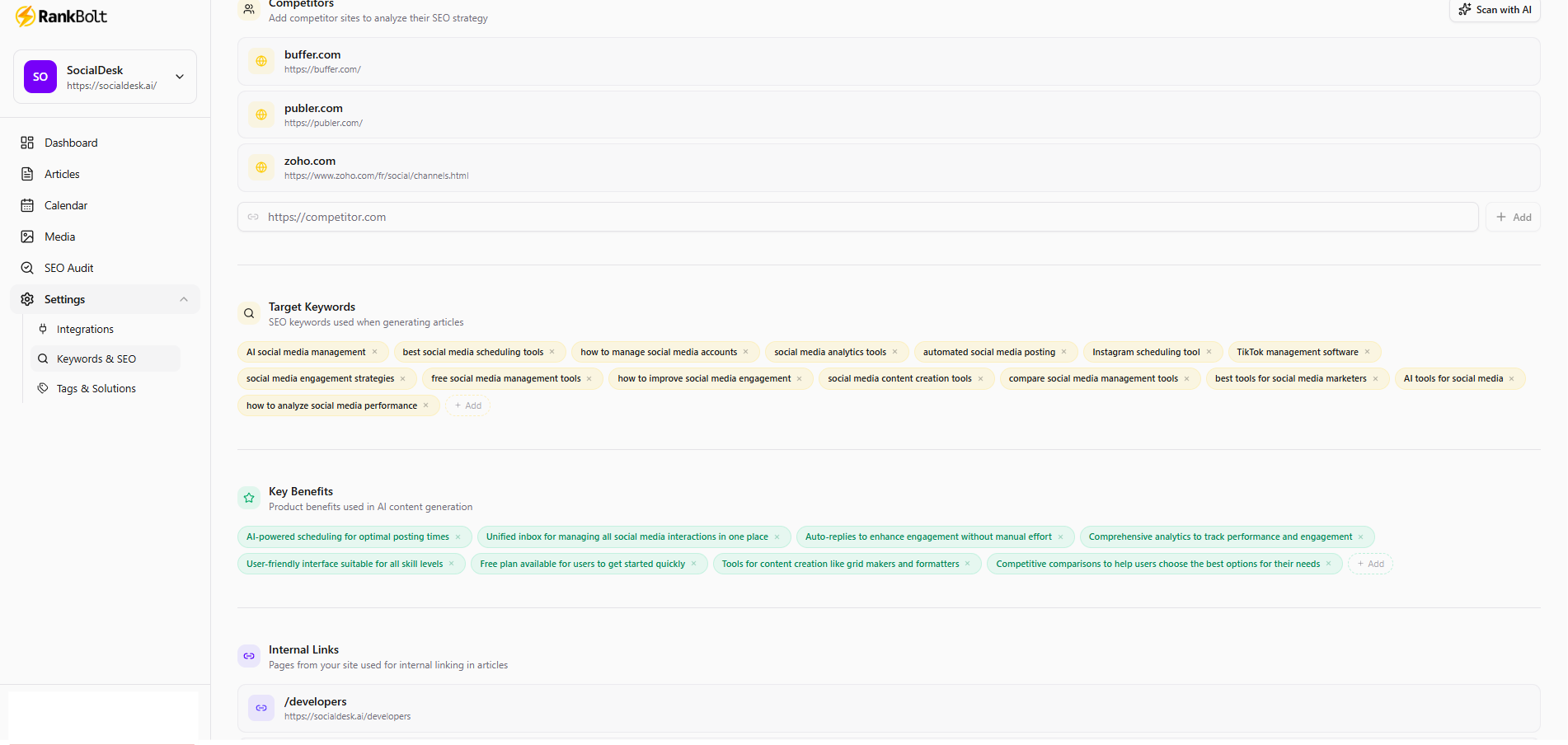
RankBolt can, in 2 minutes, analyze your website, get its internal links, analyze competitors and give you Blog ideas that are SEO optimized.
2. Use AI for first drafts, not final text
AI should handle the heavy lifting, not your brand voice.
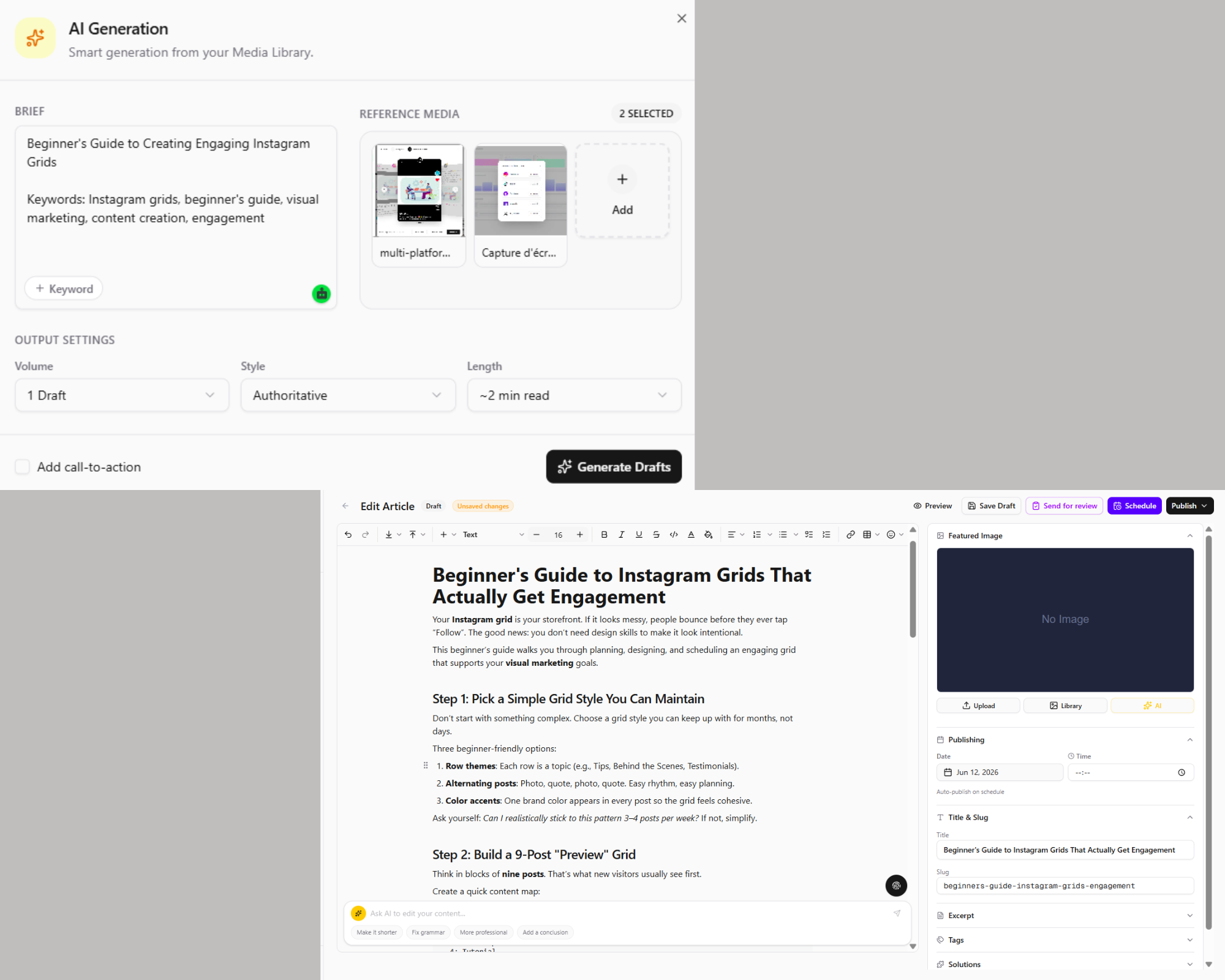
In RankBolt, you can:
- Drop in your content plan details.
- Let the AI generate a SEO-optimized outline.
- Approve or tweak headings.
- Generate the full draft.
This shifts your workload from "writing from scratch" to "editing and refining", which is far faster for busy digital marketers.
3. Layer in SEO tools early, not at the end
Many teams write first and "SEO" later, which wastes time.
Instead, weave SEO checks into your flow:
- Use keyword research tools to pick topics with realistic difficulty.
- Add target keywords into your AI prompt or RankBolt project.
- Check title tags, H1s, and meta descriptions while you edit.
RankBolt generates SEO-optimized structure by default and lets you refine headings, internal links, and FAQs before publishing, so you bake search performance into the draft.
4. Automate formatting and blog management
Once your draft is ready, you shouldn't be copying and pasting into four different dashboards.
With RankBolt integrations for WordPress, Webflow, and Shopify, you can:
- Push approved drafts directly to your CMS
- Apply your standard blog template
- Auto-insert categories, tags, and canonical URLs
For teams managing multiple sites, this turns blog management from a manual chore into a few clicks.
5. Schedule, measure, refine
Automation isn't just about publishing on autopilot. It’s about improving each post based on real data.
Set a recurring review checklist:
- Check organic traffic and rankings 30 and 90 days after publish
- Refresh underperforming posts with updated AI-generated sections
- Clone successful structures into new topics
Using RankBolt’s content automation capabilities together with your analytics stack creates a loop: ideas → AI draft → optimized post → performance data → smarter prompts next time.
If you want a guided way to set this up, explore the platform and docs at rankbolt.ai and the FAQ-driven articles on the RankBolt blog.